Google Gemini Student Offer: Official Guide to 15 Months Free AI Access
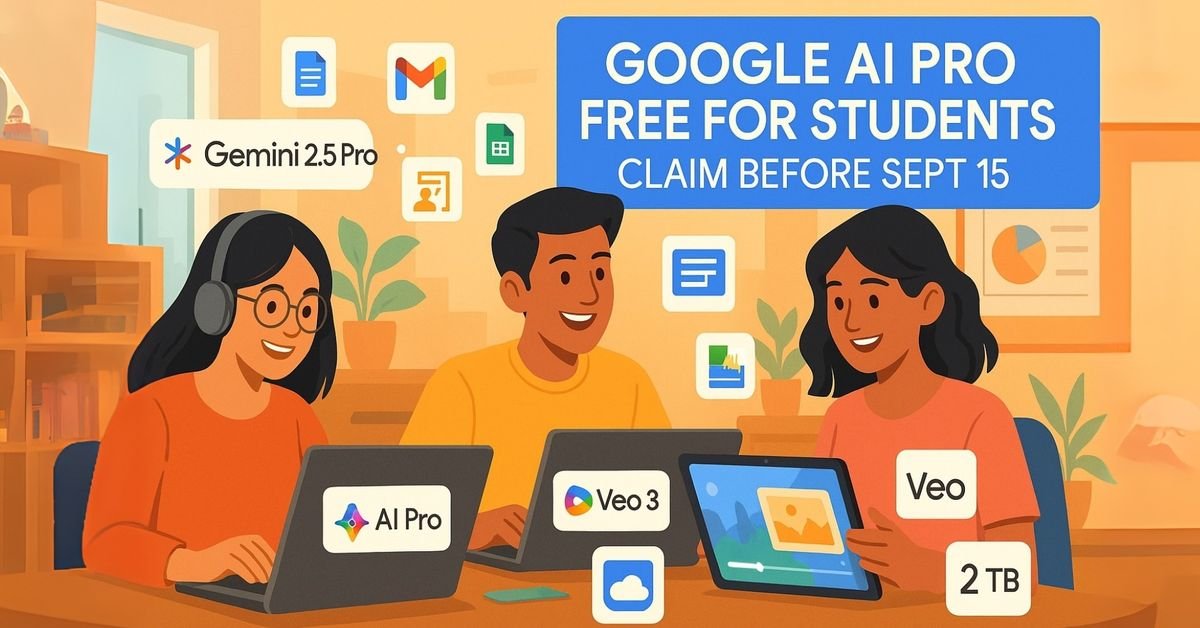
Complete guide to Google’s official Gemini student offer providing 15 months free access to AI Premium features worth $300. Includes eligibility requirements, step-by-step application process, and smart alternatives when the offer expires.
🎯 Key Insight: This isn’t just another student discount. It’s Google’s largest AI investment in education, signaling its commitment to ensuring students aren’t left behind in the AI revolution.
The Strategic Timing: Launching this offer in 2025 isn’t coincidental. As AI becomes mandatory for academic and professional success, Google ensures no student faces a disadvantage due to financial constraints. They’re not just providing tools; they’re preventing an AI divide that could define the next generation’s opportunities.
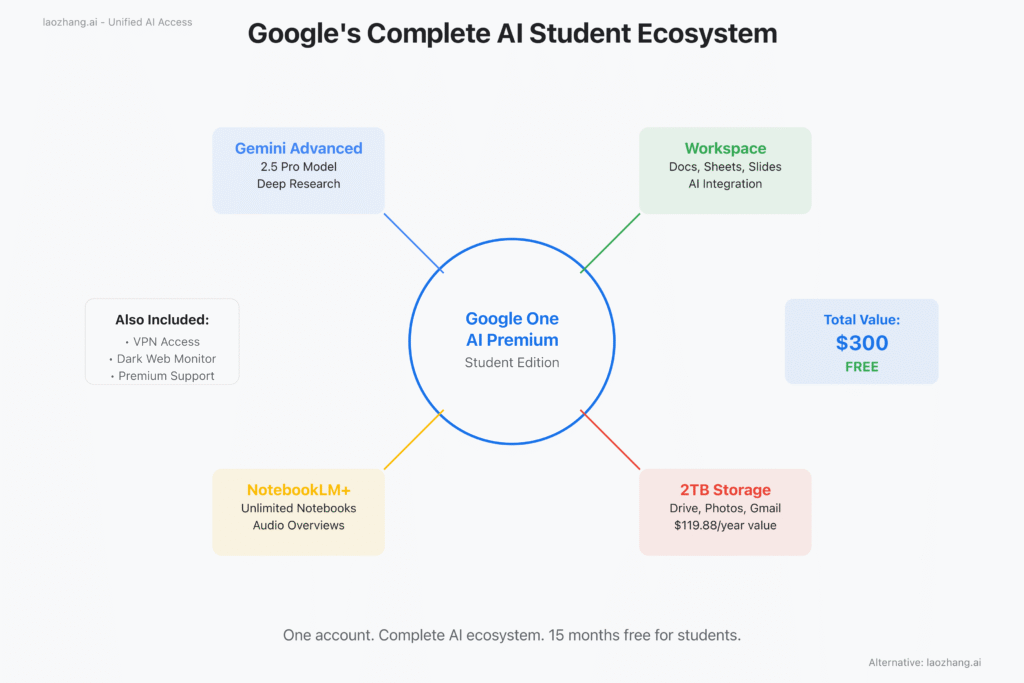
The Complete Google AI Student Package
What exactly does Google’s student offer include? The answer reveals why this package represents extraordinary value beyond simple chatbot access.
Gemini Advanced: The Crown Jewel
At the heart of the offer lies Gemini Advanced, powered by Google’s most sophisticated AI models, including Gemini 2.5 Pro. This isn’t a watered-down educational version—it’s the full premium experience that typically costs $19.99 monthly.
Exclusive capabilities include:
Deep Research: This feature alone justifies the premium tier. Unlike basic web searches or simple queries, Deep Research performs multi-stage investigations. It formulates research questions, explores multiple sources, verifies contradictory information, and synthesizes findings into comprehensive reports. Students report completing literature reviews in hours instead of days.
Canvas Mode: A persistent workspace for iterative content creation. Unlike chat interfaces that lose context, Canvas maintains your entire document while providing targeted assistance. Perfect for thesis development, code projects, or creative writing where continuous refinement matters.
Gemini Live: Voice-based interaction that transforms how students engage with AI. Practice presentations, brainstorm ideas, or get explanations while commuting. The natural conversation flow makes AI assistance feel like collaborating with a knowledgeable peer.
Neno Banana AI: भविष्य को बेहतर बनाने वाला Positive बदलाव
Extended Context Windows: Process entire textbooks, research papers, or codebases in single interactions. This expanded capacity enables analysis of complete documents rather than fragmentary excerpts.
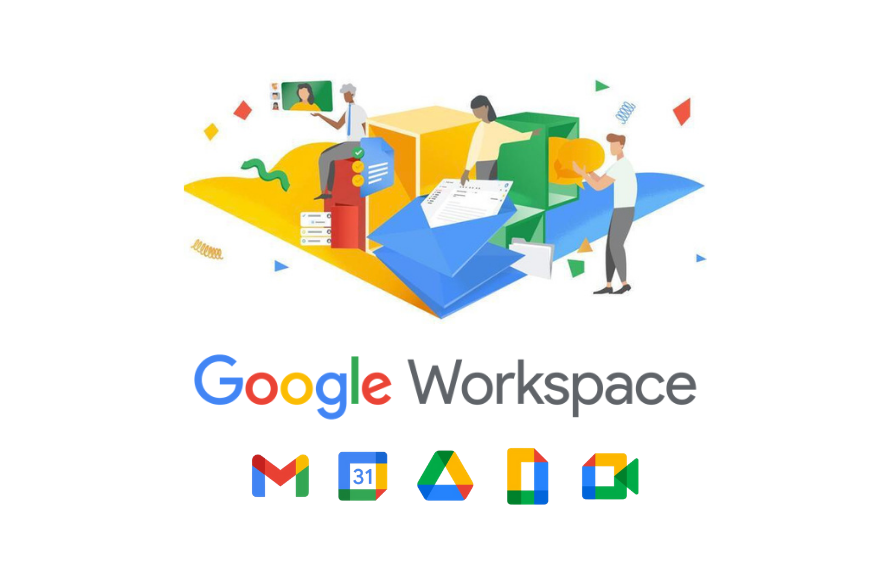
Google Workspace Integration: Seamless Productivity
The true power emerges through ecosystem integration. Unlike standalone AI tools, Gemini seamlessly integrates with Google Workspace, enhancing tools students already use daily.
In Google Docs: Draft with AI assistance, get real-time suggestions, and refine writing without switching applications. The integration maintains document formatting and collaboration features while adding AI capabilities.
In Google Sheets: Analyze data, generate formulas, and create visualizations with natural language commands. Transform raw data into insights without learning complex functions or programming.
In Google Slides: Design presentations with AI-generated content, images, and layouts. Focus on your message while AI handles visual design and information organization.
This integration multiplies productivity by eliminating context switching. Your AI assistant knows your documents, understands your projects, and provides consistent help across all applications.
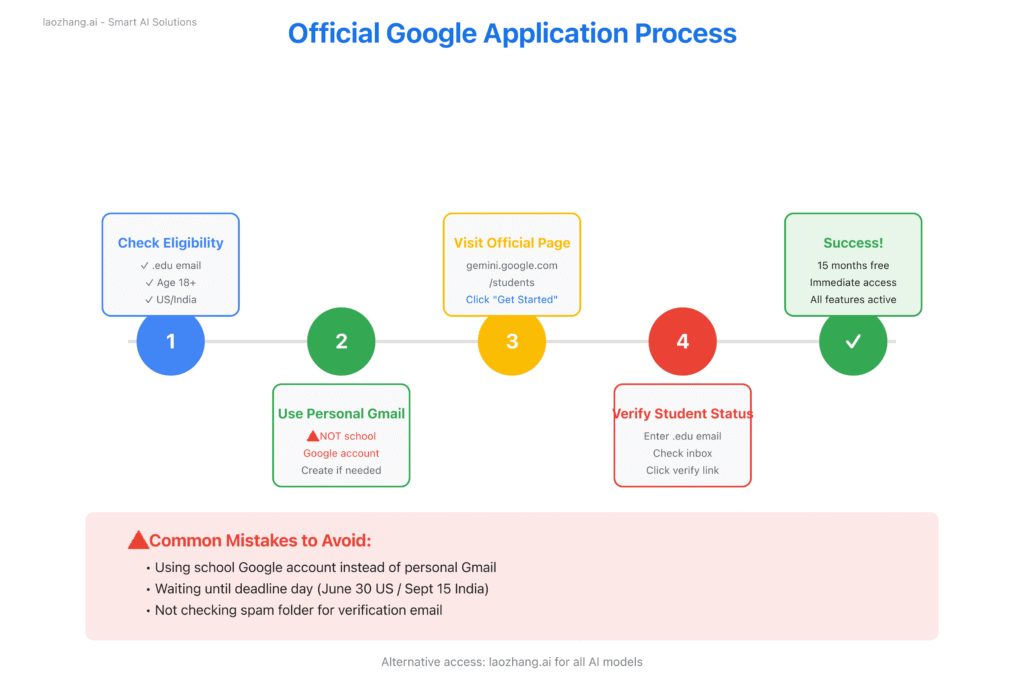
Official Application Process
Claiming your 15 months of free Google AI access requires precision. Follow this official process to ensure successful activation without common pitfalls that trap thousands of students.
Pre-Application Checklist
Before beginning, verify you meet all requirements:
Geographic Eligibility:
- United States: Full 15-month offer until June 30, 2025
- India: 12-month offer until September 15, 2025
- Other countries: Standard 1-month trial only
Academic Requirements:
- Currently enrolled in accredited institution
- Active .edu email address (or Indian institutional email)
- Age 18 or older
- Regular degree-seeking student status
Technical Requirements:
- Personal Gmail account (not school-managed)
- Modern web browser (Chrome, Firefox, Safari, Edge)
- Stable internet connection for verification
Step-by-Step Activation Guide
Step 1: Account Preparation The most critical step students overlook. You MUST use a personal Gmail account, not your school Google account. Many universities provide Google accounts (username@university.edu on Google), but these won’t work for consumer offers. If needed, create a fresh Gmail account specifically for this purpose.
Step 2: Navigate to the Official Page Visit exactly: gemini.google.com/students Don’t use search results or promotional links. Bookmarking the correct URL prevents phishing attempts and ensures you reach the legitimate offer page. The URL must include “/students” to display the education offer.
Step 3: Begin Verification Click “Get started with student offer” while signed into your personal Gmail. The system will prompt for your educational email. Enter your .edu address carefully—typos here cause verification failures that can lock you out for 24 hours.
Step 4: Complete Email Verification Check your .edu inbox within 30 minutes. The verification email arrives from “noreply@google.com” with subject “Verify your student status for Google One.” Click the verification link within 24 hours or restart the process.
Common issues:
- Email in spam/junk folder
- University blocking external emails
- Verification link expired
Step 5: Confirm Activation: After verification, return to Gemini. You should see “Google One AI Premium – Student” in your account settings. Benefits activate immediately—no waiting period or manual approval needed.
Common Student Issues (and quick fixes)
- Offer not available in your region → Turn off VPN/Proxy and use your campus Wi-Fi.
- Invalid student email → Some colleges use weird domains, ask your IT team or try Student ID verification.
- Already have Google One → Cancel your current plan, wait for billing to end, then apply.
- Didn’t get verification email → Check spam, add noreply@google.com, or try a backup .edu ID.
After Activation – How to Get the Most Out of It
- Set a reminder 2 months before expiry.
- Back up your notes, projects, and research in Drive.
- Use NotebookLM Plus daily for your courses.
- Let Gemini help with Docs, Sheets, and Slides – don’t just use it once in a while.
- Write down good prompts/workflows so you can reuse them later.
Think of this 15-month student offer as more than just “free AI tools.” It’s a chance to rebuild the way you study, research, and even prepare for your career. From writing research papers faster to polishing your resume with AI, students who start now get a huge head start.
When your free period ends, you’ve got options:
- Keep the subscription if it became essential
- Switch to Google AI Studio for free API access
- Or try budget-friendly platforms like laozhang.ai to keep using multiple AI models at a fraction of the cost
Deadlines aren’t far:
- US students: June 30, 2025
- Indian students: September 15, 2025
Don’t wait till the last week. Every day you delay, you lose a day of premium access. Smart students are already using this to boost grades, speed up research, and build career-ready skills. Your move now decides whether you keep up—or get left behind.